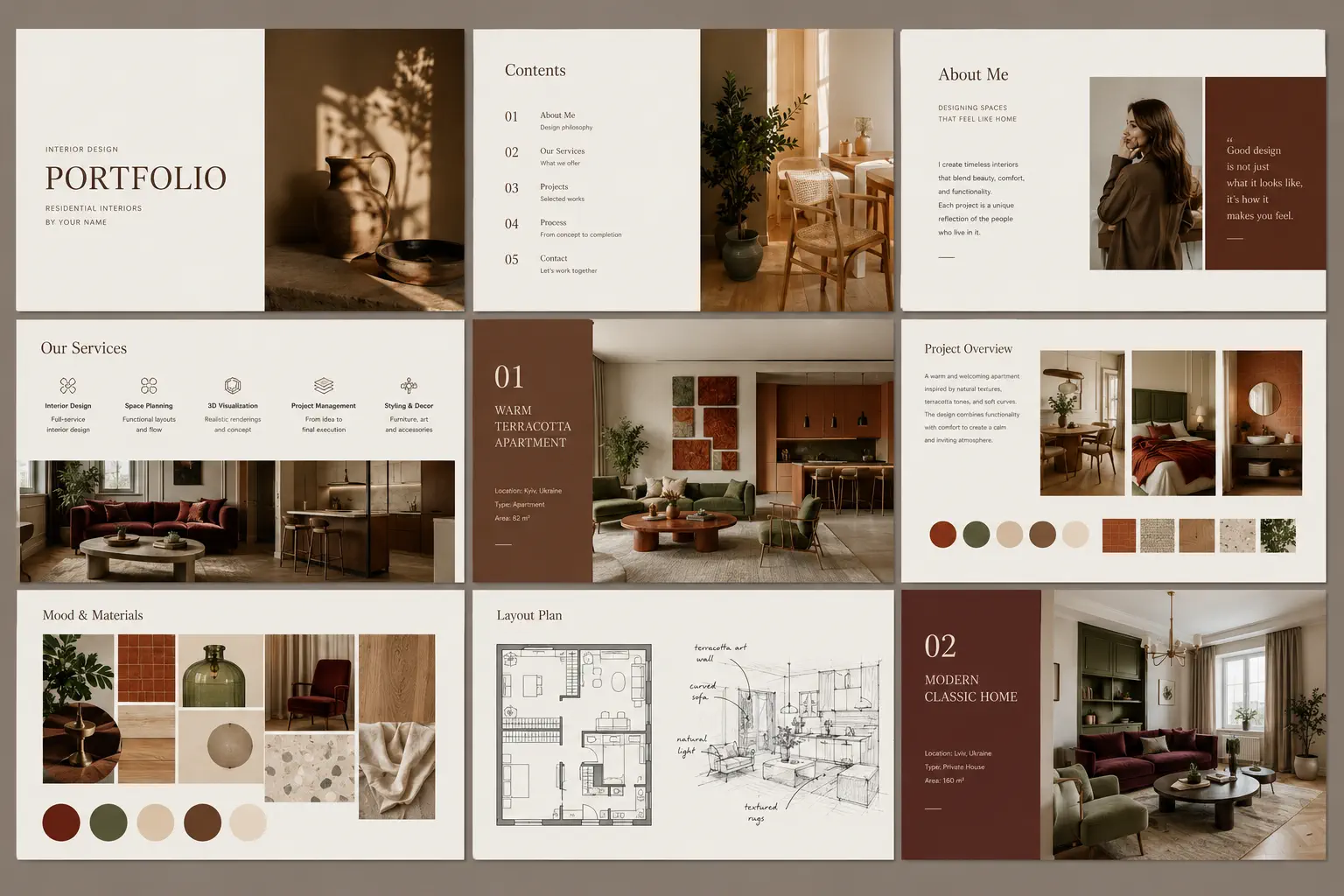
Need to send your portfolio as a PDF — for a job application, a client pitch or an offline
presentation? This free interior design portfolio PDF kit shows you how to build, structure and
export one that looks genuinely professional, with the technical specifications, a ready page-by-page
layout, and an export checklist to follow.
What's inside the PDF kit
- PDF specifications — orientation, page size, resolution, file size and naming, so your document
reads as considered rather than improvised.
- A ready page-by-page layout — the exact sequence from cover and contents through to a
technically impressive closing project and contact page.
- A repeatable project page block to keep every project consistent.
- Export guidance — how to produce a clean PDF from a website builder or design software.
- A PDF portfolio checklist to proof before you send.

When a PDF is the right format
An online portfolio should be your always-on home — discoverable, shareable and always current — but a
PDF still earns its place for job applications that want a single attachment, tailored client pitches,
offline presentations on a tablet, and print submissions. The smart workflow is to keep a website as
your hub and export a PDF from it for these specific moments, so you maintain one source of truth
instead of two portfolios that drift apart. For the wider comparison, see our pillar on the
interior design portfolio.
Build the PDF the easy way
You can lay a PDF out by hand in design software, but the fastest route is to build your portfolio
once as a website and export a clean, on-brand PDF in a click. The
interior design website builder does exactly that — so the same
work powers both a discoverable site and a polished PDF. Planning your structure first? Pair this kit
with the free portfolio template, and review your
final portfolio against the portfolio checklist.